
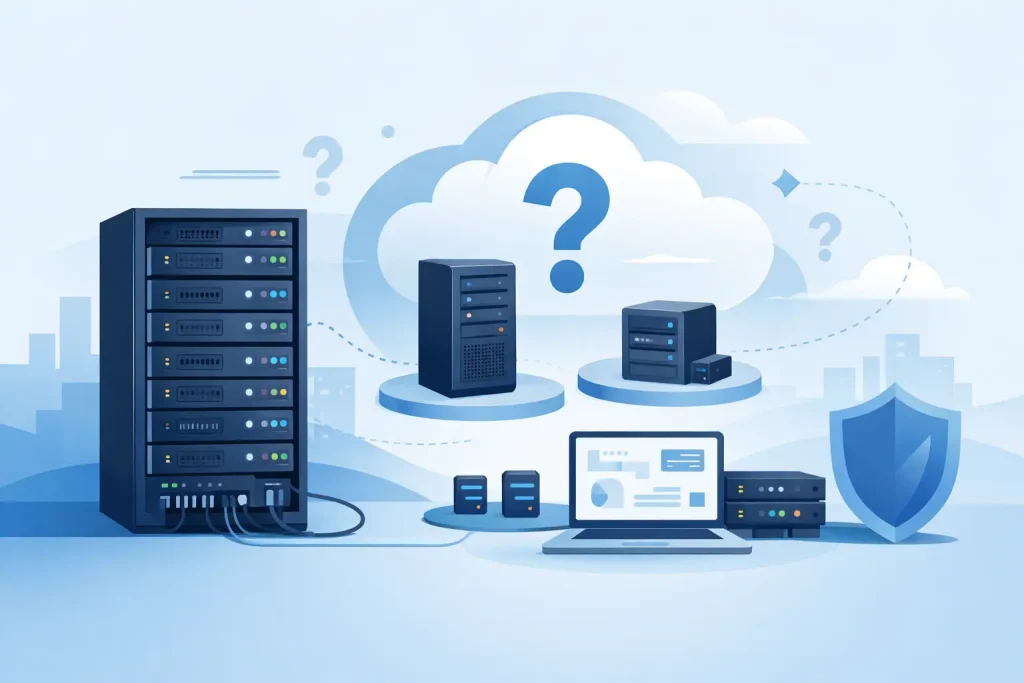
A growing business can outpace the desktop-style servers tucked into an office faster than expected. When applications multiply, data grows, and uptime becomes a business requirement, the question becomes: what is a rack server, and is it the right foundation for your IT environment?
A rack server is an enterprise server designed to be installed in a standardized equipment rack. Rather than standing alone on the floor or under a desk, it slides into a cabinet alongside other servers, storage systems, switches, firewalls, and power equipment. This format helps organizations build computing infrastructure that is organized, scalable, serviceable, and easier to manage over time.
What Is a Rack Server?
A rack server is a compact, horizontal server built to fit into a 19-inch server rack. Its height is measured in rack units, written as U. One U equals 1.75 inches of vertical rack space. A 1U server is 1.75 inches high, a 2U server is 3.5 inches high, and a 4U server occupies 7 inches.
The server itself performs the same core functions as other server types. It runs business applications, hosts virtual machines, manages files, supports databases, delivers web services, processes workloads, and connects users to centralized IT resources. The difference is in its physical design and the way it supports larger, more structured deployments.
Most rack servers include enterprise-grade processors, ECC memory, hot-swappable storage bays, redundant power supply options, remote management tools, and high-speed network connectivity. Depending on the model and configuration, they can support a few essential workloads or form part of a large virtualized data center.
Why Businesses Use Rack-Mounted Servers
Rack servers are chosen when an organization needs more capacity and control than a basic tower server can provide. Their main advantage is density. Multiple systems can be installed in a single cabinet without consuming valuable office space, while cabling, cooling, and power distribution remain centralized.
For IT teams, this structure makes day-to-day management more practical. Equipment can be labeled, secured, monitored, and serviced in one location. A technician can replace a failed drive, add memory, or troubleshoot network connections without moving equipment around the workplace.
Rack-mounted designs are also well suited to standardization. A business can deploy similar server models across locations, use common rails and accessories, and maintain consistent firmware, spare parts, and management processes. This is especially useful for organizations with branch offices, expanding operations, or strict uptime requirements.
There are trade-offs. Rack servers require a suitable rack, reliable power, cooling, and more planning than a server placed in a small office. They can also be louder than tower systems because compact chassis designs rely on high-speed fans. For businesses without a dedicated IT room, acoustic output and heat should be considered before purchase.
Understanding Rack Server Sizes
1U Rack Servers
A 1U server is ideal where rack space is limited and compute density is a priority. These systems are commonly used for web hosting, application services, virtualization nodes, and edge deployments. Their narrow chassis may limit the number of internal drives or expansion cards, so configuration planning matters.
2U Rack Servers
A 2U rack server offers a practical balance of performance, expandability, and serviceability. It generally provides more storage bays, PCIe expansion slots, cooling capacity, and processor options than a 1U model. For many small and mid-sized businesses, 2U systems are the most flexible choice for virtualization, database workloads, file services, and business-critical applications.
4U Rack Servers
A 4U server is designed for workloads that need substantial internal storage, accelerator cards, or specialized expansion. These systems can support more drive bays, GPUs, and high-capacity components. They are often used for storage-heavy environments, video processing, engineering applications, AI-related workloads, or high-performance computing requirements.
The right size is not simply about fitting the most hardware into a rack. It depends on your workload, growth expectations, storage needs, power availability, and budget. A properly configured 2U server can be a better investment than an overloaded 1U system that leaves no room for expansion.
Common Rack Server Components
The specifications behind a rack server determine whether it can reliably support your operations. Processor choice affects application performance and virtualization capacity. Memory determines how many virtual machines, users, and database processes can run efficiently. Storage selection influences speed, capacity, resilience, and recovery capability.
Enterprise buyers should also look beyond headline processor speed. RAID controllers, drive type, network adapters, redundant power supplies, and remote management licensing can significantly affect the final capability of a server. For example, NVMe SSDs can improve performance for transactional databases and virtual desktop workloads, while high-capacity SAS or SATA drives may be more economical for backup and file storage.
Redundant power supplies are particularly valuable for systems supporting critical operations. If one power supply fails, the second unit can keep the server running when connected to separate power sources. Hot-swappable drives provide a similar operational advantage by allowing failed disks to be replaced without shutting down the server.
Remote management features from leading manufacturers such as Dell, HPE, and Lenovo allow IT teams to monitor hardware health, access the server console, update firmware, and troubleshoot issues remotely. For companies with distributed sites or limited on-site IT personnel, these capabilities can reduce response time and operational disruption.
Rack Servers vs. Tower Servers vs. Blade Servers
A tower server resembles a larger desktop computer. It is generally easier to deploy in a small office because it does not require a rack cabinet and often runs more quietly. It can be the right choice for a small business with one or two local applications, limited users, and no dedicated server room. However, tower servers become harder to manage as more systems are added.
Rack servers are the stronger choice for businesses that need several servers, centralized storage, structured networking, or a clear path for growth. They use space efficiently and work well with rack-mounted switches, UPS systems, patch panels, and storage arrays.
Blade servers place multiple slim server modules into a shared chassis that provides power, networking, and cooling. They offer very high density but can carry higher initial costs and require careful infrastructure planning. Blade environments are typically better suited to larger organizations with substantial virtualization demands and experienced data center teams.
For most growing organizations, a rack server provides the best middle ground. It offers enterprise features and expansion flexibility without requiring the specialized chassis architecture of a blade platform.
How to Choose the Right Rack Server
Start with the workload, not the chassis. A server intended for file sharing and backups needs a different configuration than one hosting ERP software, SQL databases, virtual machines, or graphics-intensive applications. Define the applications, user count, expected data growth, and acceptable downtime before comparing models.
Next, consider capacity over the next three to five years. Buying only for current demand can create an avoidable replacement cycle. Leave room for additional memory, storage drives, and network expansion where practical. At the same time, avoid paying for maximum specifications that will remain unused. The best configuration is one aligned with real business demand and a reasonable growth plan.
Power and cooling should be reviewed early. A fully populated rack can place significant demands on electrical circuits and air conditioning. Check the server room layout, UPS capacity, rack depth, cable routing, and ventilation before finalizing equipment. These details affect reliability as much as processor and memory specifications do.
It is also wise to confirm warranty coverage, vendor support options, and component compatibility. Authorized sourcing helps protect businesses from gray-market equipment, unsupported configurations, and uncertain warranty status. For procurement teams, this is a practical risk-control measure, not just a purchasing preference.
Where Rack Servers Fit in a Business Environment
Rack servers can support a wide range of business infrastructure needs. A small company may use one system for directory services, shared files, accounting software, and backup. A larger organization may deploy multiple servers for virtualization clusters, database platforms, security applications, storage management, and disaster recovery.
They are also common in private cloud environments, regional offices, healthcare and education settings, retail operations, manufacturing facilities, and professional services firms. The underlying requirement is usually the same: dependable local computing resources with the ability to scale in an orderly way.
EDRC Global Computers helps businesses evaluate enterprise hardware from recognized brands and align server specifications with operational requirements, budget, and future growth. The goal is not to sell the largest configuration available. It is to procure a dependable platform that supports the applications your teams rely on.
A rack server is most valuable when it becomes part of a considered infrastructure plan – one that accounts for workloads, storage, power protection, network capacity, support, and the next stage of business growth. Choosing that foundation carefully gives your IT team room to respond before demand turns into disruption.