
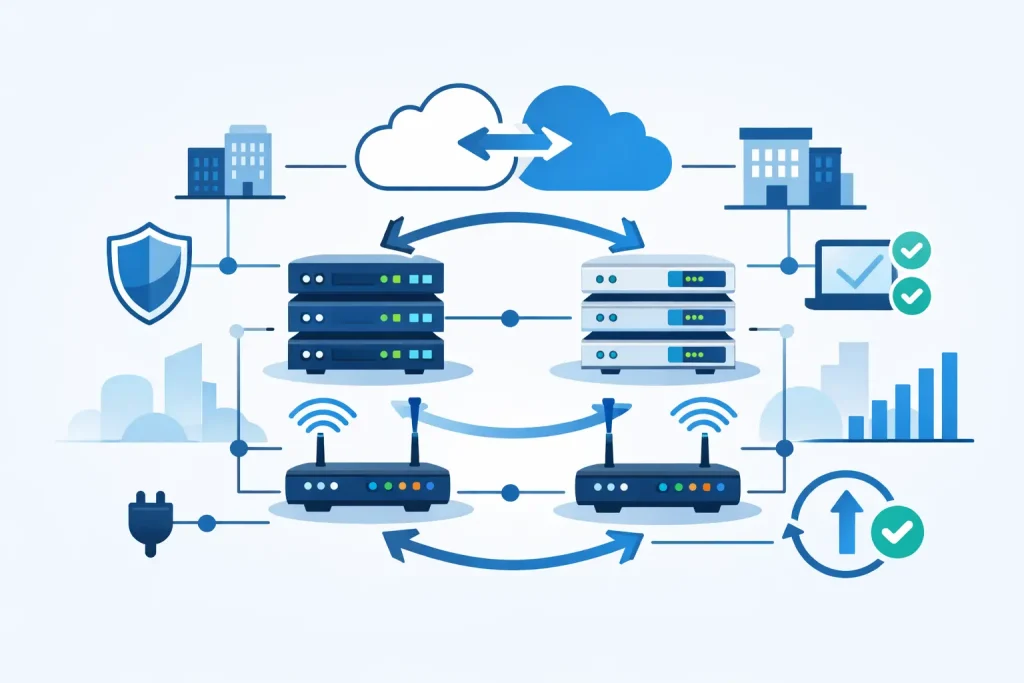
A failed uplink, a faulty switch, or a power event can stop far more than internet access. It can interrupt cloud applications, IP phones, warehouse systems, security cameras, customer transactions, and access to shared business data. Effective network redundancy design reduces the chance that one predictable hardware or connectivity failure becomes a costly operational outage.
For IT managers and procurement teams, the objective is not to duplicate every component without a plan. It is to identify where a single point of failure exists, decide what level of downtime the business can accept, and invest in the right combination of switches, connections, power protection, and configuration. The best design is proportionate to the workload, easy to support, and built with hardware that can grow with the organization.
Start With the Cost of Downtime
Redundancy decisions should begin with business impact. A small office that can work from mobile connections for an hour has different requirements from a distribution center, healthcare operation, or multi-site company whose systems must remain available throughout the day.
Ask which services need continuous access and which can tolerate interruption. Core business systems, internet connectivity, voice platforms, storage traffic, and remote access typically rank highest. Then establish recovery targets. If a network component fails, should service recover automatically in seconds, be restored by IT in 15 minutes, or wait until replacement hardware arrives? Those answers determine the architecture and budget.
It also helps to separate availability from performance. A backup path that keeps applications online but runs at reduced speed may be acceptable for some workloads. For high-volume databases, virtualization clusters, video workloads, or storage replication, the secondary path must be sized to handle real production traffic.
Identify Every Single Point of Failure
A network often appears redundant because it has several switches or more than one cable. That assumption can be misleading. Two links connected to the same switch, using the same power source and conduit, still share critical failure points.
Review the full traffic path, from user devices to applications and the internet. Look at access switches, aggregation or core switches, firewalls, internet service providers, wireless controllers, server network adapters, storage connections, power distribution, and physical cable routes. A failure in any one of these areas may affect a large part of the business.
Common single points of failure include:
- One core switch supporting all access switches
- A single firewall or internet edge appliance
- One ISP circuit or one physical entry route into the building
- Servers with only one network adapter or one connected path
- Storage attached through a single switch fabric
- Network equipment supplied by one unprotected power circuit
- Primary and backup cabling routed through the same tray or riser
This review should include configuration dependencies as well. A pair of switches does not provide meaningful protection if both rely on one management platform, one improperly configured routing gateway, or the same unsupported firmware version.
Build Redundancy in Layers
The strongest network redundancy design uses several practical layers rather than relying on one expensive device. Each layer addresses a different type of fault.
Redundant switching and paths
At the network core, organizations commonly use a resilient pair of enterprise switches with redundant uplinks from access switches. Depending on the platform and topology, switch stacking, virtual chassis technology, multi-chassis link aggregation, or routed links can provide automatic failover while maintaining capacity.
Link aggregation can protect against an individual cable or port failure and increase available bandwidth. However, it should be configured across separate physical devices where the switch platform supports it. Two aggregated cables on the same switch improve link resilience, but they do not protect against a complete switch failure.
At the access layer, critical endpoints should use dual connections where possible. Servers, virtualization hosts, storage systems, and high-value workstations may require multiple network adapters connected to separate switches. This is particularly important where a single server hosts applications used across the business.
Resilient internet and security edge
Internet redundancy usually requires more than a second service contract. Ideally, the connections come from different providers and enter the site through separate physical routes. Two circuits delivered through the same building entry may both be affected by a construction incident, fire, or carrier equipment failure.
A firewall high-availability pair can protect the security edge when configured correctly. The devices need synchronized policies, compatible software releases, dedicated failover connections, and adequate capacity for the entire traffic load if one unit becomes unavailable. An undersized secondary firewall can create a performance incident at the moment the business expects protection.
Failover behavior also matters. Automatic WAN failover is useful, but teams should confirm what happens to VPN sessions, public-facing services, cloud applications, and voice calls during the transition. Some connections may need routing, DNS, or provider-side configuration beyond the firewall itself.
Power and environmental protection
Network hardware cannot remain available if its power design is fragile. Core switches, firewalls, storage equipment, and wireless controllers should be connected to uninterruptible power supplies sized for the required runtime and load. Equipment with dual power supplies should be connected to separate UPS units or protected power circuits when the risk profile justifies it.
For larger sites, generator-backed power and monitored power distribution units may be appropriate. Cooling should be considered alongside electricity. A network closet with poor airflow can create an outage even when the switching architecture is well designed.
Choose Hardware for the Actual Role
Redundancy depends on compatible, enterprise-grade components, not just quantity. Switches should have the required uplink speeds, port density, power-over-Ethernet capacity, redundant power options where needed, and support for the protocols selected by the network team. The same discipline applies to server adapters, transceivers, cables, firewalls, and storage connectivity.
Procurement teams should avoid mixing components solely because the initial price is lower. Compatibility limits, licensing requirements, support coverage, and firmware lifecycle must be evaluated before purchase. A design that uses supported configurations from recognized vendors is easier to maintain and easier to recover under pressure.
Capacity planning is equally important. When one switch, uplink, firewall, or ISP connection fails, the remaining path must carry the traffic that matters. This does not always mean purchasing double the capacity. A business may choose to prioritize essential services, limit guest traffic, or defer noncritical backups during a failover event. The right choice depends on operational priorities.
For organizations purchasing servers, storage, and networking equipment together, coordinated design prevents mismatches later. For example, a server with dual high-speed adapters provides limited value if the adjacent switching infrastructure cannot support separate paths at the required speed.
Test Failover Before an Outage Tests It
Redundancy that has never been tested is an assumption. Schedule controlled failover tests after deployment and at regular intervals. Disconnect one uplink, power down one member of a switch pair during an approved window, simulate an ISP failure, and verify that applications remain available at an acceptable level.
Testing should include the services users actually depend on, not only device status indicators. Confirm that staff can reach critical applications, remote users can connect, voice services operate, storage traffic is stable, and monitoring tools report the event correctly. Record the results, failover times, configuration changes, and any services that require manual intervention.
Monitoring is part of the design, not an afterthought. Network management tools should alert the IT team to link failures, high utilization, power issues, hardware faults, and unusual traffic patterns. Without timely visibility, a redundant environment can operate in a degraded state for weeks and be exposed when a second failure occurs.
Balance Resilience With Cost and Complexity
More redundancy is not automatically better. Every added device, circuit, and configuration dependency increases capital cost, operational overhead, and the potential for misconfiguration. A fully duplicated core may be justified for a business-critical site, while a smaller branch may need a quality firewall, a backup internet connection, and a carefully documented replacement plan.
The key is to fund resilience where business interruption has the greatest consequence. Start with the core services and locations, standardize proven hardware platforms, maintain appropriate spares, and document the topology clearly. Expert assistance during equipment selection can help align switch models, optics, power requirements, and support options with the intended failover design.
A well-planned network is not defined by how much hardware it contains. It is defined by how predictably the business continues operating when a component, connection, or power source fails.