
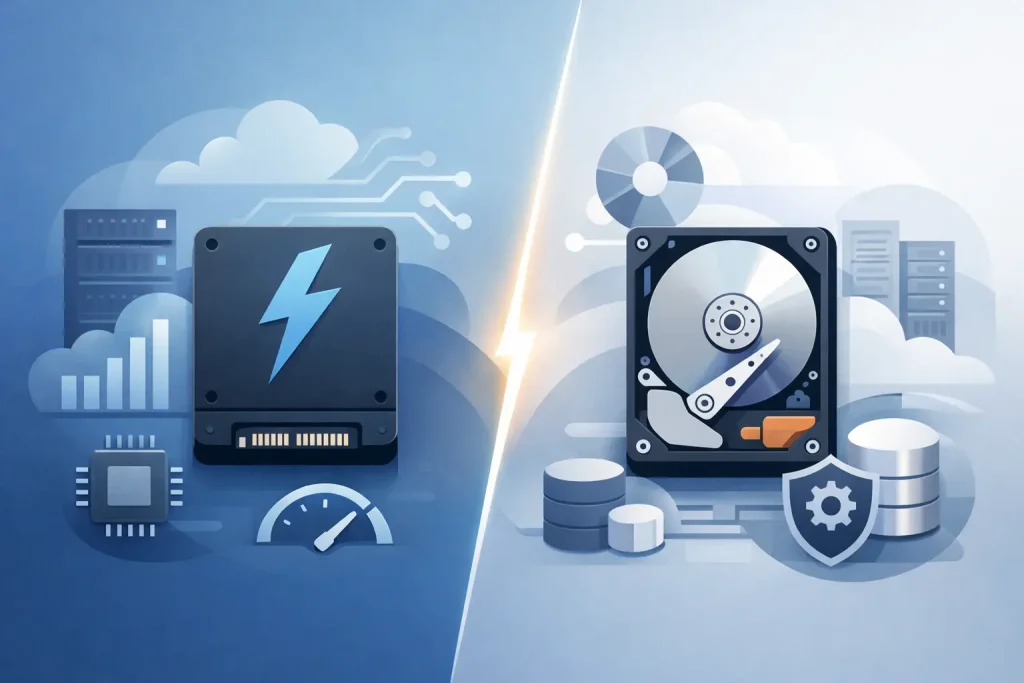
A slow storage decision can affect far more than file transfers. It can delay workstation boot times, constrain virtual machines, slow database queries, and leave employees waiting on systems that should support their work. When evaluating SSD vs HDD storage, business buyers need to look beyond advertised capacity and select media that matches the workload, availability requirement, and budget of the environment.
For many organizations, the answer is not choosing one technology for every use case. SSDs and HDDs serve different purposes in a well-planned infrastructure. The right configuration often combines both, using high-speed solid-state storage where performance matters most and high-capacity hard drives where cost-efficient retention is the priority.
SSD vs HDD Storage: The Core Difference
An HDD, or hard disk drive, stores data on spinning magnetic platters. A mechanical arm reads and writes information as the platters rotate. This established technology provides substantial capacity at a lower cost per gigabyte, making it a practical choice for large data volumes.
An SSD, or solid-state drive, stores data on flash memory with no moving parts. It accesses data electronically rather than mechanically, which greatly reduces latency and improves read and write performance. The absence of moving components also makes SSDs more resistant to vibration and physical shock.
The difference is immediately visible in common business tasks. An SSD-equipped workstation can start applications, open large files, and load operating systems much faster than a comparable HDD-based system. In servers, SSDs can improve the responsiveness of transactional databases, virtual desktop infrastructure, and virtual machines that generate frequent input/output operations.
HDDs remain highly relevant because raw capacity is expensive when purchased entirely in flash. A business retaining years of documents, surveillance footage, backups, archive data, or shared media files may need many terabytes of storage. Hard drives can deliver that capacity with a significantly lower upfront investment.
When SSD Storage Is the Better Business Choice
SSDs are designed for workloads where delay has a direct operational cost. They are a strong fit for boot volumes, application servers, databases, engineering workstations, and virtualization hosts. Their fast random read and write performance is particularly valuable when many users or processes access small files at the same time.
For example, a finance team working in large spreadsheets or a design department opening complex project files will benefit from SSD-based workstations. A server hosting an ERP database will also benefit because rapid storage access supports faster transactions and a more responsive experience for users across the organization.
Performance and Latency
The most meaningful advantage of SSDs is low latency. HDDs need time for the drive to locate the correct position on a spinning platter. SSDs access data without this mechanical delay. While HDD performance can be adequate for sequential data transfers, SSDs handle random workloads much more effectively.
This distinction matters in shared infrastructure. A file archive may largely read and write large files in sequence, while a virtualized server environment handles many small, simultaneous operations. The archive may run efficiently on HDDs, but the virtual environment can become a bottleneck without SSD storage.
Reliability in Active Environments
Because SSDs have no moving parts, they are less vulnerable to mechanical wear, shock, and vibration than traditional hard drives. This is useful for mobile workstations, branch-office equipment, and systems operating in demanding physical environments.
However, SSD reliability is not unlimited. Flash cells have write endurance ratings, typically measured through terabytes written or drive writes per day. Enterprise SSDs are built for more intensive workloads than consumer models. For server and storage deployments, procurement teams should verify endurance specifications rather than selecting drives based only on interface and capacity.
Power and Space Efficiency
SSDs use less power and generate less heat than HDDs. In a dense server room or data center, this can support lower cooling demands and more efficient use of rack space. Their smaller physical footprint also enables high-performance storage configurations where capacity and density must coexist.
When HDD Storage Still Makes Financial Sense
An HDD is not an outdated compromise when it is deployed for the right purpose. It remains one of the most economical ways to scale storage capacity for data that does not need flash-level response times.
Backup repositories are a common example. Most backup data is written on a schedule and accessed only when a restore is required. If recovery objectives allow for the longer access times of hard drives, HDD-based storage can provide the capacity needed for retention policies without placing unnecessary pressure on the IT budget.
HDDs also work well for file archives, video surveillance retention, media libraries, and large shared folders with relatively low activity. In these environments, capacity per dollar often matters more than milliseconds of latency.
Capacity and Cost per Terabyte
The primary HDD advantage is economics. Large-capacity enterprise hard drives make it possible to build storage pools measured in tens or hundreds of terabytes at a more manageable cost than an all-flash design.
That lower acquisition cost should not be confused with lower quality. Enterprise-class HDDs are designed for continuous use, supported workloads, and installation in compatible servers or storage arrays. The key is to match the drive class, rotational speed, interface, and workload rating to the system requirements.
Sequential Workloads
Hard drives can perform well when data is read or written in large, continuous blocks. Streaming video, archival transfers, and some backup processes are examples of sequential workloads. For these tasks, HDD performance may be entirely sufficient, especially when drives are configured in a properly designed RAID array.
RAID can improve availability and, in some configurations, throughput. It does not replace backup. A RAID array protects against certain drive failures, but it will not protect data from accidental deletion, ransomware, corruption, or a site-level incident.
Choosing SSD vs HDD Storage by Workload
The most practical procurement question is not, “Which drive is better?” It is, “What does this system need to do every day?” Storage decisions should be based on workload behavior, service-level expectations, growth projections, and recovery requirements.
Use SSD storage for operating systems, active databases, business-critical applications, virtual machines, and high-performance workstations. Use HDD storage for backup, archives, surveillance retention, and large data sets that are accessed less frequently. For many businesses, a hybrid approach provides the strongest balance of speed and cost control.
A hybrid storage design may place active data on SSDs while moving older or less frequently accessed data to HDD capacity tiers. This allows IT teams to reserve premium flash capacity for the information and applications that need it most. It also avoids paying for all-flash storage where it provides no measurable business benefit.
Factors to Confirm Before You Buy
Drive selection should be validated against the server, workstation, or storage platform. Interface compatibility is a basic but critical consideration. SATA drives remain common, while SAS drives are widely used in enterprise servers and storage arrays. NVMe SSDs deliver much higher performance but require compatible PCIe connectivity and supporting hardware.
Procurement teams should also verify form factor. Common options include 2.5-inch and 3.5-inch drives, M.2 modules, and U.2 or U.3 enterprise NVMe drives. A drive can have the right capacity and performance rating but still be unsuitable for the available bays, backplane, or controller.
Before finalizing a storage purchase, confirm these four areas:
- Required usable capacity after RAID, hot spare allocation, and projected growth
- Expected workload, including random I/O, sequential transfers, and write intensity
- Compatibility with the server, storage array, RAID controller, and management tools
- Warranty coverage, enterprise workload ratings, and replacement support requirements
These checks reduce the risk of undersizing storage, mixing unsupported components, or investing in performance that the rest of the infrastructure cannot use.
Storage Reliability Depends on More Than Drive Type
SSDs and HDDs both fail eventually. Storage reliability comes from the full design: enterprise-grade components, appropriate RAID, monitored drive health, tested backups, and a documented recovery plan. A fast SSD does not compensate for missing backups, and a high-capacity HDD array does not guarantee availability without redundancy.
For critical systems, consider the full cost of downtime rather than drive price alone. If a few minutes of interruption affects sales, customer service, or production, higher-performance and redundant storage may be justified. If the data is retained for compliance or historical reference and rarely accessed, capacity-focused HDD storage may be the more disciplined investment.
EDRC Global helps organizations source enterprise servers, workstations, and storage components from recognized technology brands with configurations aligned to real business workloads. Expert assistance at the selection stage helps ensure storage supports the system, the application, and the organization’s growth plan.
The best storage purchase is the one that gives active users the performance they need, protects essential data, and leaves room for the next stage of business growth without forcing an early replacement cycle.