
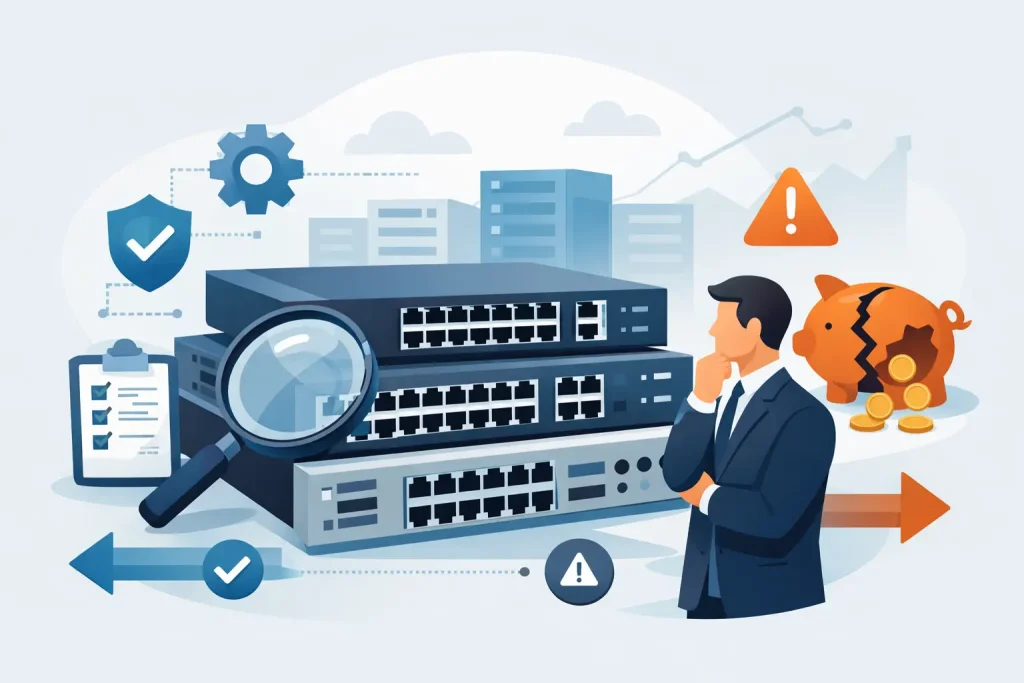
A switch that looks less expensive on a quote can become the most costly part of a network deployment. Insufficient uplinks, limited Power over Ethernet capacity, short support coverage, or the wrong licensing model can force a replacement long before the hardware reaches the end of its useful life. Knowing how to buy enterprise switches means evaluating the complete operating requirement, not simply comparing port counts and unit prices.
For IT managers and procurement teams, the right decision starts with a clear view of what the network must support today and where the organization expects to grow. A branch office, warehouse, campus floor, data center, and security-focused environment each place different demands on switching infrastructure. The goal is to procure branded, supportable equipment that delivers performance, control, and predictable lifecycle costs.
Start With the Network Role
Enterprise switches are not interchangeable. Before requesting a quotation, identify whether the switch will operate at the access layer, distribution layer, core, or within the data center.
Access switches connect end-user devices such as computers, IP phones, wireless access points, printers, cameras, and building-management equipment. These deployments often require high port density, Power over Ethernet, VLAN support, and manageable security controls. A 24-port model may suit a small office, while a 48-port switch can provide better room for expansion and reduce the number of devices to manage.
Distribution and core switches aggregate traffic from access switches and connect important systems, server environments, firewalls, and WAN services. Here, uplink capacity, redundancy, routing performance, stacking capability, and high availability take priority. For data center use, organizations may require 10GbE, 25GbE, 40GbE, or 100GbE interfaces, low latency, and features suited to virtualization and storage traffic.
Buying a high-capacity core switch for a simple edge deployment wastes budget. Conversely, using a basic access switch where high-speed aggregation is needed creates a bottleneck that is difficult to correct later. Define the switch role first, then compare models designed for that role.
How to Buy Enterprise Switches for Capacity
Port count is the starting point, not the full capacity calculation. Count existing wired devices, account for planned additions, and retain reasonable spare capacity. A switch deployed at full capacity on day one leaves no margin for new staff, security cameras, access points, or operational equipment.
A practical planning approach is to calculate active connections by location and reserve 20% to 30% capacity where growth is expected. This may mean choosing a 48-port switch instead of a 24-port model, or selecting a stackable platform that allows additional switches to function as one managed unit.
Also examine port types. Many office endpoints still operate effectively on 1GbE connections, but uplinks between switches should be sized for aggregate traffic. A switch with 1GbE access ports and 10GbE uplinks is a common fit for business networks. Environments with large file transfers, virtualization hosts, high-resolution video, or dense Wi-Fi deployments may need 2.5GbE or 5GbE edge ports and faster fiber uplinks.
Fiber connectivity deserves early attention. Confirm whether the selected switch includes SFP, SFP+, SFP28, QSFP, or other transceiver interfaces. The required modules, cable types, distances, and compatibility should be included in the procurement plan. A low switch price can be misleading when optics and approved accessories are omitted from the initial quote.
Calculate Power Over Ethernet Correctly
Power over Ethernet, or PoE, is a major purchasing factor for modern offices, retail locations, warehouses, and campus networks. It allows the switch to power IP phones, wireless access points, surveillance cameras, and other connected equipment through standard network cabling.
Do not assume that a PoE switch can power every connected device at maximum demand. Check both the PoE standard and the total power budget. PoE and PoE+ support many common endpoints, while higher-power standards may be necessary for advanced wireless access points, PTZ cameras, digital displays, or specialized equipment.
For example, a 48-port PoE switch may have enough ports for 48 devices but a power budget that supports only a portion of those devices at their peak draw. Calculate expected power consumption for each device type, add a growth margin, and compare the result with the switch’s available PoE wattage. This protects against unexpected outages when new endpoints are added.
Prioritize Manageability and Security
Unmanaged switches can be appropriate for limited, isolated uses, but they are rarely the right choice for business-critical networks. Enterprise managed switches provide visibility and control through features such as VLANs, quality of service, link aggregation, port monitoring, access control lists, and centralized configuration.
Segmentation is particularly important. Separating employee devices, guest Wi-Fi, voice services, cameras, and operational technology reduces unnecessary traffic and helps contain security risks. The switch should support the organization’s required VLAN structure and authentication approach, including 802.1X where applicable.
Security capabilities vary by platform and license level. Review whether the solution supports secure management, role-based administration, MAC controls, DHCP snooping, dynamic ARP inspection, network access control integration, and logging. Not every business needs every feature, but buying a platform that cannot meet compliance or security requirements can create avoidable replacement costs.
Management model matters as well. Some organizations prefer on-premises control through a local interface or network management platform. Others want cloud-based visibility across multiple sites. Choose the model that fits internal IT capability, data policies, and recurring subscription expectations. Cloud management can simplify distributed operations, but it may introduce licensing costs that must be budgeted across the hardware lifecycle.
Check Redundancy Before It Becomes Urgent
Network downtime affects operations, customer service, communications, and access to cloud applications. The appropriate level of redundancy depends on the location and business impact of failure.
For a smaller office, a quality switch with reliable hardware and vendor support may be sufficient. For a core network, production site, or environment with round-the-clock operations, consider redundant power supplies, replaceable fans, dual uplinks, link aggregation, switch stacking, and resilient routing designs. Some switch families support virtual chassis or stacking technologies that simplify management while providing continuity if a member switch fails.
Redundancy should be designed around the full path, not only the switch itself. A pair of redundant switches does little if both connect to a single firewall, power circuit, or uplink provider. Your IT team or infrastructure supplier should review the wider architecture before selecting equipment.
Compare Total Cost, Not Just Hardware Price
A competitive hardware price matters, but enterprise switching procurement should account for the full cost of ownership. This includes switch hardware, power supplies, rack accessories, transceivers, cables, licenses, subscriptions, support contracts, installation, configuration, and future expansion.
Vendor licensing is a common source of confusion. Some features are included with the switch, while others require software tiers, cloud subscriptions, or support entitlements. Ask for a clear breakdown of what is included at purchase, what expires, and what recurring costs apply. This is especially important when comparing similar products from major brands.
Authorized sourcing also matters. Enterprise hardware should have valid warranty coverage, correct regional specifications, genuine accessories, and access to vendor support. A trusted IT supplier can verify compatibility across switches, servers, storage, wireless equipment, and security infrastructure while helping procurement teams avoid unsupported configurations.
Select a Platform With a Viable Lifecycle
Switches are typically expected to remain in service for years. Review the product’s lifecycle status before making a purchase. A heavily discounted model may be near end of sale or approaching end of support, making it a poor choice for a new deployment even when the specification appears suitable.
Ask about software support duration, replacement availability, warranty options, and the vendor’s roadmap for the switch family. Standardizing on a supported platform can simplify spare inventory, configuration templates, staff training, and future expansion. It also gives procurement teams a clearer path when adding sites or refreshing older infrastructure.
For organizations that need tailored guidance, EDRC Global Computers can help align switch specifications with port requirements, PoE demand, uplink design, and budget targets using enterprise-grade solutions from recognized technology brands.
Build a Clear Request for Quote
The quality of a supplier quote depends on the quality of the information provided. State the deployment location, required number of ports, endpoint types, PoE devices, uplink speeds, fiber requirements, management preferences, redundancy expectations, and delivery timeline. Include whether configuration, installation, or migration assistance is required.
A well-defined request makes it easier to compare proposals fairly. It also lets suppliers identify missing components before equipment arrives on site. The most effective purchase is not necessarily the switch with the longest feature list. It is the supported platform that fits the traffic, power, security, and growth requirements of the business without creating unnecessary cost or complexity.
Treat the switch purchase as an infrastructure decision rather than a line-item transaction. A carefully specified platform gives your organization the capacity to add users, services, and sites with confidence while keeping operations stable when the network is under pressure.