
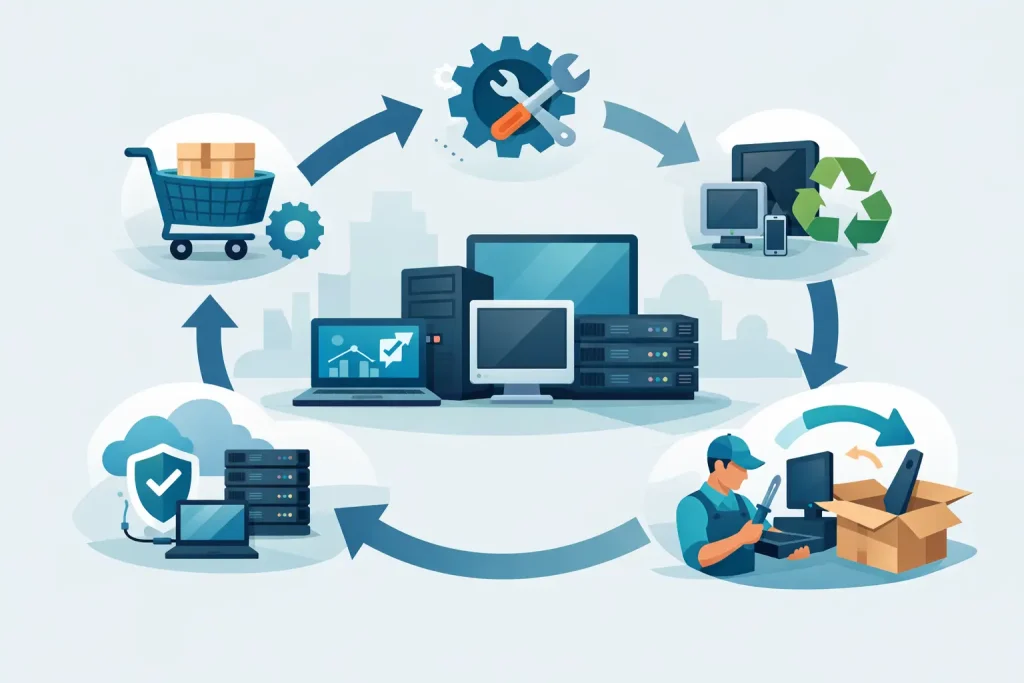
A server failure during quarter-end reporting, an unsupported workstation fleet, or storage capacity that runs out without warning can all turn a routine IT purchase into an operational problem. This IT hardware lifecycle guide helps business buyers treat technology as a planned investment rather than a series of urgent replacements. The goal is not to replace equipment as often as possible. It is to keep every asset reliable, secure, appropriately sized, and cost-effective throughout its working life.
For IT managers and procurement teams, lifecycle planning connects technical decisions with commercial outcomes. It clarifies when to standardize hardware, when to extend its use, and when a refresh is the safer financial choice. That discipline matters whether an organization is buying a few business laptops or building a multi-server environment.
What the IT Hardware Lifecycle Covers
Hardware lifecycle management begins before a purchase order is issued and continues until the asset is securely removed from service. The cycle typically includes planning, procurement, deployment, operation, maintenance, refresh, and retirement. Each stage affects uptime, security exposure, employee productivity, and total cost of ownership.
A useful lifecycle plan accounts for more than the purchase price. A competitively priced server that cannot support future memory, storage, or processor requirements may become expensive sooner than expected. Similarly, retaining older workstations can appear economical until slow performance, repair time, software compatibility issues, and user downtime begin to affect the business.
The right lifecycle duration depends on the equipment and its workload. End-user computers may be reviewed every three to five years, while properly configured servers and storage systems can remain productive longer. High-demand workloads, vendor support timelines, cybersecurity requirements, and business growth should drive the decision, not an arbitrary replacement date.
1. Plan Around Workloads, Not Product Names
The planning stage defines what the hardware must accomplish. Before comparing brands or configurations, document the applications, users, data volumes, performance expectations, and availability requirements involved. A workstation for CAD, engineering, or video production needs a different processor, graphics, memory, and storage profile than a standard office PC. A virtualization host requires different planning than a file server or backup appliance.
Capacity planning should include a reasonable growth allowance. Buying only for current demand can create an early refresh cycle, particularly for storage, network switching, and server memory. However, overconfiguring every system also ties up budget in unused capacity. The practical approach is to select enterprise hardware that can scale through approved upgrades where that makes commercial sense.
This is also the point to set standards. Standardized models, operating systems, accessories, and warranty levels simplify deployment, support, spare-part planning, and future procurement. Organizations with multiple locations benefit especially from a consistent hardware baseline.
Questions to settle before procurement
Procurement teams should be able to answer a few fundamental questions: What workload will this equipment support? What level of downtime is acceptable? How quickly is demand expected to grow? Is the system compatible with existing infrastructure? And what is the manufacturer’s support position over the expected service period?
Those answers prevent a common issue: selecting equipment based solely on headline specifications while overlooking integration, serviceability, and long-term availability.
2. Procure Authorized, Business-Ready Hardware
The procurement stage is where lifecycle value can either be protected or compromised. Enterprise-grade products from established manufacturers such as HP, Dell, Lenovo, and Microsoft are designed with manageability, documented support options, and business continuity in mind. That does not mean the most expensive configuration is always right. It means the selected hardware should be traceable, correctly specified, and backed by a support path suitable for the organization.
Authorized sourcing matters because infrastructure purchases carry more risk than consumer electronics purchases. Buyers need confidence in product authenticity, warranty eligibility, firmware access, licensing, regional compatibility, and replacement options. These details become critical when a failed component affects an active business service.
A trusted IT supplier can also help validate configurations before purchase. For example, storage systems should be reviewed for usable capacity, RAID requirements, backup design, drive compatibility, and expansion needs. Server quotes should account for processors, memory channels, power supplies, network adapters, operating system licensing, and rack accessories. A low initial quote can become misleading if required components are excluded.
3. Deploy With Documentation and Control
New hardware delivers value only after it is deployed correctly. Record the asset tag, serial number, assigned user or owner, location, configuration, warranty details, and purchase date. For servers, switches, and storage, document network settings, firmware versions, support contracts, rack position, and dependencies on other systems.
This information should be available to both IT and procurement teams. IT needs it for support and change management; procurement needs it to track warranty dates, renewal decisions, and replacement budgets. A current asset register also makes insurance reviews, audits, and incident response more manageable.
Standard deployment images and configuration policies reduce variation across workstations. On infrastructure equipment, apply approved firmware and security updates before production use, then verify performance, backup operations, and monitoring alerts. The aim is controlled deployment, not simply getting equipment online quickly.
4. Operate and Maintain for Reliability
The longest phase of the IT hardware lifecycle is daily operation. Routine maintenance protects the value of the original investment and provides early warning when equipment is approaching a risk threshold.
For end-user devices, maintenance includes operating system updates, endpoint protection, battery health checks, storage monitoring, and timely replacement of worn accessories. For data center equipment, it includes firmware management, environmental monitoring, power protection, drive health reviews, backup testing, and capacity tracking.
Support requirements vary by asset criticality. A workstation used for general administration can usually tolerate a standard warranty response. A production server supporting customer-facing applications may require faster service coverage, redundant power supplies, spare components, and a documented recovery plan. The trade-off is clear: higher availability costs more upfront, but it can cost far less than unplanned downtime.
Avoid treating maintenance as a purely technical responsibility. Procurement should receive regular visibility into aging assets, recurring repair costs, expiring warranties, and products nearing manufacturer end of support. That makes budget discussions fact-based rather than reactive.
5. Refresh Before Risk Becomes Expensive
A refresh decision is justified when performance, reliability, security, or supportability no longer meets business requirements. Age alone is not enough. Some systems remain suitable beyond their original expected period, while others should be replaced early because workloads have changed or vendor support has ended.
Signs that a refresh should be evaluated include frequent hardware faults, rising repair costs, insufficient memory or storage capacity, inability to run supported software, poor employee productivity, and lack of replacement parts. For network infrastructure, port shortages, outdated security capabilities, and inadequate throughput are equally strong indicators.
Refresh planning should be phased where possible. Replacing every device at once may be necessary after a major platform change, but staggered refresh cycles often smooth capital spending and reduce deployment pressure. A three-year or four-year replacement schedule for user devices, combined with separate reviews for servers, storage, and networking, gives organizations more control.
This is where business buyers should compare the cost of extending an asset against the cost of replacement. Extending a server’s life may be sensible if it has adequate capacity, current support, and a stable workload. It is less sensible if it creates a single point of failure or blocks a required application upgrade.
6. Retire Hardware Securely and Responsibly
Retirement is not complete when equipment leaves the office or data center. Devices may contain customer records, financial information, credentials, intellectual property, or licensed software. Secure data removal must follow the organization’s policy and any applicable compliance requirements.
For drives that are being reused, use verified sanitization procedures. For failed or highly sensitive drives, physical destruction may be the appropriate choice. Retired equipment should also be removed from asset registers, network management tools, warranty records, and software license assignments.
Environmental responsibility matters as well. Working equipment may have resale, redeployment, or donation value, while nonfunctional assets should be processed through an appropriate electronics recycling channel. Retaining clear retirement records helps demonstrate control over both data and physical assets.
Building a Lifecycle Plan That Procurement Can Use
An effective plan does not need to be complicated. Start with a complete asset inventory, classify equipment by business criticality, record support end dates, and define review intervals. Then align annual procurement budgets with known refresh needs rather than waiting for failures to force decisions.
EDRC Global supports organizations with enterprise hardware options, competitive pricing, and expert assistance for infrastructure purchases that need to perform over the long term. The best next step is to review your highest-risk assets now – before an expired warranty, capacity limit, or unexpected failure determines the schedule for you.