
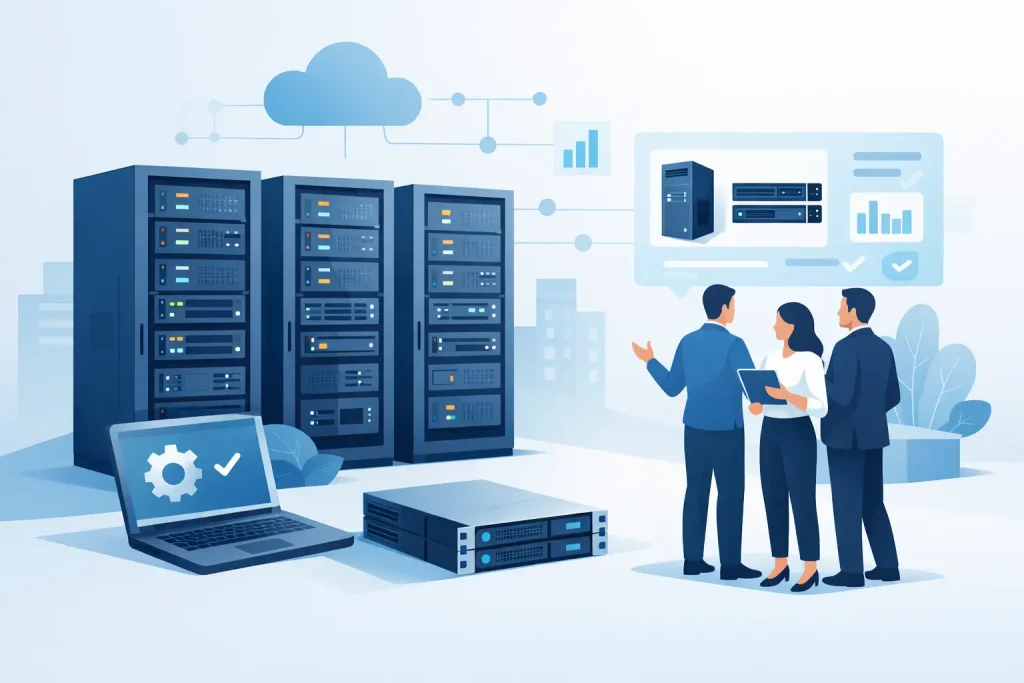
A server purchase can affect daily operations for five years or more. Choose too little capacity, and applications slow down as users, data, and virtual machines increase. Choose an oversized configuration, and capital is tied up in performance the business may never use. This enterprise server buying guide helps IT managers and procurement teams specify the right platform before requesting a quote.
The best choice is not simply the server with the highest processor count or largest drive capacity. It is the system that supports your workloads reliably, fits your available rack space and power, and can expand without forcing an early replacement. Start with business requirements, then match the hardware configuration to those requirements.
Start With the Workload, Not the Server Model
Every server specification should begin with a clear description of what the system will run. A file server, database platform, virtualization host, ERP application, video archive, and AI-enabled analytics workload place very different demands on processors, memory, storage, and networking.
For example, a small business file and print server may prioritize usable storage capacity, data protection, and quiet operation. A virtualized environment usually needs more memory, faster storage, and enough CPU cores to run multiple guest operating systems. A database server often benefits from high memory capacity and low-latency SSD storage, while a backup repository may favor high-capacity hard drives and efficient network connectivity.
Ask application owners for current usage figures, expected user growth, data growth, and performance issues. If the server will consolidate several existing systems, document each workload rather than estimating from the combined hardware specifications. Older servers may be inefficient, underutilized, or configured for a requirement that no longer exists.
Choose the Right Enterprise Server Form Factor
Server form factor affects deployment, cooling, expansion, and serviceability. The most common choices are tower and rack servers. Blade systems can still suit highly standardized data center environments, but they are less common for new deployments where flexibility and cost control are priorities.
A tower server is practical for branch offices, small businesses, and locations without a dedicated server rack. It is easier to place and may operate more quietly than a rack-based system, although it still requires suitable ventilation, access control, and power protection. Tower servers are a sensible choice for a single-site workload with limited expansion requirements.
Rack servers are the standard for organizations using server rooms or data centers. They use rack units, commonly 1U or 2U, and simplify cable management, cooling, and physical organization. A 1U server conserves rack space but may offer fewer drive bays and PCIe expansion slots. A 2U server generally provides more storage options, expansion capacity, and service access. For growing environments, that extra space can deliver better long-term value.
Before selecting a form factor, confirm available rack capacity, airflow direction, power distribution, and physical access. A server that fits the rack but exceeds cooling or power capacity creates avoidable operational risk.
Size CPU and Memory for Real Demand
Processor selection is about core count, clock speed, and workload behavior. More cores are useful for virtualization, parallel processing, and multi-user applications. Higher clock speeds can be more valuable for applications that depend on strong per-core performance, including some databases and line-of-business software.
Do not select processors based only on a familiar brand or the highest available specification. Check the software vendor’s requirements and licensing model. Some enterprise applications are licensed per core, meaning a higher core count can increase annual software costs even when the hardware price looks attractive. In those cases, fewer high-performance cores may be the more economical option.
Memory is frequently the first resource constrained in virtualized environments. Once a host begins relying heavily on disk-based paging, performance can decline quickly. Specify enough ECC memory for normal operations, expected growth, and failover scenarios. If a virtual machine host must absorb workloads from another host during maintenance or a failure, its memory plan should account for that capacity.
Choose memory modules in a configuration that preserves available slots for expansion. Filling every slot with smaller modules may reduce the initial purchase price, but it can make later upgrades more expensive. A practical approach is to install enough capacity now while retaining a clear path to double or increase it as demand grows.
Plan Storage for Performance and Recovery
Storage design has two separate questions: how much capacity is needed, and how quickly the system must read and write data. Both matter. High-capacity hard disk drives remain cost-effective for backup archives and large file repositories. SSDs and NVMe drives are better suited to virtual machines, databases, transaction-heavy applications, and workloads where low latency affects user experience.
RAID protects against a drive failure, but it is not a backup strategy. RAID cannot recover data deleted by a user, encrypted by ransomware, or corrupted by an application. The server plan should include separate, tested backups with retention policies appropriate to the business.
For many organizations, a tiered approach makes financial sense. Use faster SSD or NVMe storage for active workloads and high-capacity drives or dedicated storage systems for less frequently accessed data and backups. This avoids paying premium flash-storage pricing for data that does not need it.
Also consider drive bays and controller capability. A server with open bays can expand internally, but external storage may be the better route when capacity growth is significant or when multiple servers need shared access. Hot-swappable drives, hardware RAID controllers, and cache protection can reduce downtime and improve serviceability.
Do Not Treat Networking as an Afterthought
Network requirements often change faster than the server itself. A standard 1GbE connection may be sufficient for a modest file server, but it can become a bottleneck for virtualization, backup windows, shared storage, and large data transfers. 10GbE is a common starting point for many business-critical server deployments, particularly where several virtual machines or storage-heavy applications are involved.
Confirm compatibility with existing switches, transceivers, cabling, and network ports before finalizing the server configuration. A high-speed network adapter adds little value if the switching infrastructure cannot support it. Where uptime matters, consider redundant network paths and separate management connectivity.
Build for Availability, Security, and Manageability
Enterprise hardware earns its value when a component fails or a maintenance window is tight. Redundant power supplies, hot-swappable drives, ECC memory, remote management, and vendor-supported firmware are not optional extras for many business-critical environments. They are safeguards against extended downtime.
Remote management capabilities allow authorized IT teams to monitor health, access the console, apply updates, and troubleshoot systems without being physically present. This is especially useful for branch offices and distributed operations. Security should also include firmware controls, secure boot support, role-based administration, and a defined patching process.
A practical specification review should cover these areas:
- Dual power supplies connected to separate protected power sources where uptime requires it
- RAID level and spare-drive strategy based on capacity, performance, and recovery needs
- Remote management licensing and access controls
- Compatible operating system, hypervisor, and application certifications
- Warranty terms, response options, and the availability of replacement parts
The appropriate level of redundancy depends on the cost of downtime. A development server may tolerate a longer recovery window. A production ERP or customer-facing application usually cannot.
Evaluate Expansion Before Signing Off
A server should be purchased for the next phase of growth, not only for the day it arrives. Review available DIMM slots, drive bays, PCIe slots, processor upgrade options, network expansion, and supported storage capacity. This review is particularly valuable when budgets require a phased deployment.
However, do not pay for expansion that is unlikely to be used. A business with stable workloads may be better served by a carefully sized server and a strong support plan than by an expensive platform designed for a large data center. The goal is measured headroom, not maximum specifications.
Lifecycle planning matters as well. Confirm the expected warranty period, vendor support availability, and the organization’s refresh policy. Equipment that remains under supported firmware and hardware coverage is easier to secure, maintain, and insure operationally.
Buy From a Partner That Can Validate the Configuration
Enterprise server procurement involves more than comparing a processor, memory number, and headline price. Compatibility between storage controllers, drives, network adapters, operating systems, and software licenses must be checked before deployment. Authorized sourcing also helps protect warranty eligibility and gives buyers confidence that the equipment is genuine, current, and supported.
EDRC Global Computers works with recognized enterprise technology brands including HP, Dell, Lenovo, and Microsoft, helping organizations select configurations aligned with performance, capacity, and budget requirements. With more than 20 years of market experience, the focus is on practical infrastructure recommendations, competitive pricing, and expert assistance throughout the buying process.
A well-specified server should make the next few years quieter for IT teams: fewer performance complaints, clearer recovery options, and room to support the business when demand increases.