
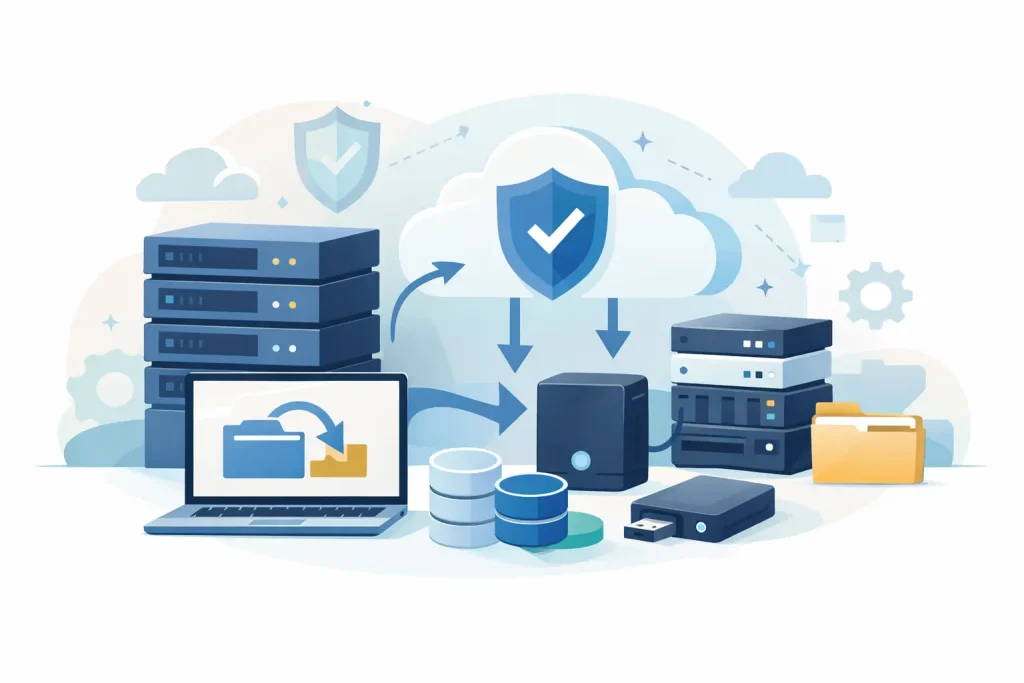
When a backup fails, the problem is rarely the backup software alone. More often, the storage layer was undersized, poorly matched to recovery targets, or expanded without a clear plan. Choosing the best storage systems for backups starts with a business question, not a product question: how much data can you afford to lose, and how quickly do you need it back?
For IT managers and procurement teams, that distinction matters. Backup storage is not just a place to park copies. It is part of your continuity strategy, your ransomware response posture, and your long-term infrastructure cost model. The right choice depends on capacity growth, retention requirements, performance expectations, and how your organization prefers to manage risk.
What makes the best storage systems for backups
The best backup storage system is not always the fastest or the cheapest. It is the one that supports your recovery objectives without creating unnecessary complexity.
In practical terms, that means looking at several factors together. Capacity is the obvious starting point, but usable capacity matters more than raw numbers. Deduplication and compression can change the economics significantly, especially for virtualized environments and repeated daily backups. Performance also matters, particularly if you need short backup windows or fast restores for critical workloads.
Security should be part of the storage decision from the beginning. Immutability, access controls, encryption, and segmented backup targets are now baseline requirements for many businesses. If backup data can be altered or deleted too easily, the storage platform may become a liability during a cyber incident.
Scalability is another key issue. Many organizations buy for current demand, then revisit the same problem 12 months later. A backup storage platform should allow measured growth without forcing a complete redesign. That is especially relevant for companies adding virtual machines, branch data, surveillance footage, databases, or cloud workloads over time.
Best storage systems for backups by business need
NAS for simple and cost-effective backup targets
Network attached storage is often the most practical choice for small to midsize businesses. It is relatively straightforward to deploy, easy to manage, and well suited for file-based backup repositories. For organizations that want reliable on-premises backup storage without the overhead of a more complex architecture, NAS is a strong option.
NAS works well when backup traffic is moderate and restore expectations are sensible. It is commonly used for endpoint backups, office file shares, virtual machine backup repositories, and secondary copies of production data. Modern business NAS platforms also support snapshots, replication, and integration with leading backup software.
The trade-off is performance and scale. As data volumes grow or concurrent backup jobs increase, entry-level NAS systems can become restrictive. They are ideal for many environments, but not every environment.
SAN for high-performance enterprise backups
A storage area network is a better fit where performance, availability, and centralized control are higher priorities. SAN platforms support block-level storage and typically offer stronger performance for large-scale backup operations, database workloads, and enterprise virtualization environments.
If your business runs multiple servers, hosts large applications, or requires faster recovery for critical systems, SAN can justify the higher investment. It also supports more structured expansion and tighter integration within enterprise infrastructure.
The trade-off is cost and administrative overhead. SAN is rarely the right answer for every organization. It makes sense when the environment is already complex enough to benefit from it, or when business continuity requirements leave little room for compromise.
Direct attached storage for focused backup use cases
Direct attached storage remains relevant in certain scenarios. If you need local backup storage for a single server, a branch office workload, or a specific application, DAS can be cost-efficient and simple to manage.
This approach works best when backup scope is narrow and centralization is not essential. It can also be useful as a temporary staging area before backups are replicated elsewhere. However, DAS is less flexible for multi-system environments and does not scale as cleanly as NAS or SAN.
For organizations trying to standardize infrastructure, DAS often becomes a tactical choice rather than a long-term platform.
Object storage for scale and long-term retention
Object storage is increasingly attractive for backup environments with significant growth, long retention periods, or hybrid cloud requirements. It is designed for scale and is particularly effective when storing large quantities of backup data that do not need constant high-speed access.
For archive copies, compliance retention, and off-site backup strategies, object storage offers strong economics. It also aligns well with modern backup applications that can tier older data automatically.
The main consideration is recovery speed and workflow. Object storage is excellent for durable retention, but not always the fastest path for immediate operational recovery. Businesses with tight recovery time objectives often combine it with faster local storage rather than relying on it alone.
Hybrid cloud backup storage for resilience
A hybrid approach often delivers the best balance for modern businesses. Local storage handles fast backup and restore operations, while cloud or object-based storage supports off-site protection and longer-term retention.
This model is especially valuable for ransomware resilience. If primary and backup systems share the same physical risks, a single incident can affect both. Off-site copies reduce that exposure. For many organizations, hybrid design is no longer optional – it is simply better risk management.
That said, hybrid is not automatically better if it is poorly planned. Ongoing cloud egress costs, bandwidth limitations, and retention policies need to be understood before procurement decisions are made.
How to match backup storage to your environment
The fastest way to make a poor purchase is to buy backup storage based on advertised capacity alone. A more reliable method is to start with workload type.
If your environment is mostly user files, office documents, and moderate virtual machine backups, business-grade NAS is often enough. If you are protecting transactional systems, ERP platforms, large databases, or dense virtualization clusters, SAN may be the stronger fit. If your main issue is retention growth, object storage should be part of the conversation.
Recovery expectations are just as important. Some businesses can tolerate slower restores for archived data, but not for production applications. Others need near-immediate file recovery yet are less concerned about older backup copies. One storage tier rarely serves both needs equally well.
You should also account for management resources. A sophisticated storage platform only adds value if your team can operate it efficiently. For lean IT teams, simpler systems with strong vendor support can deliver better real-world outcomes than a more advanced platform that requires specialist administration.
Cost, performance, and risk: the real trade-off
There is no single winner among the best storage systems for backups because every choice shifts the balance between cost, performance, and risk.
NAS generally offers the best entry point for value and simplicity. SAN usually delivers stronger performance and reliability for enterprise environments. Object storage often wins on scale and retention economics. Hybrid strategies improve resilience, but they require careful planning to avoid unexpected operational costs.
Procurement teams should also look beyond acquisition cost. Power, rack space, licensing, support contracts, media growth, and future expansion all affect total cost of ownership. In many cases, the lowest upfront price becomes the highest long-term cost because the platform runs out of headroom too quickly.
That is why infrastructure buying should be consultative, not transactional. A trusted IT supplier with enterprise storage experience can help validate sizing, compatibility, and growth assumptions before the order is placed. For businesses that need dependable backup infrastructure from recognized brands, that guidance reduces both technical and commercial risk.
What to prioritize before you buy
Before selecting a platform, confirm four things. First, define your retention and recovery targets clearly. Second, estimate growth over at least three years, not one. Third, verify compatibility with your backup software, server environment, and security policies. Fourth, decide whether your backup strategy requires local-only, off-site, or hybrid protection.
It is also worth checking how the platform handles immutability, snapshots, replication, and role-based access. These are no longer premium extras for many organizations. They are practical safeguards.
For businesses sourcing branded infrastructure in a competitive market, vendor quality and support responsiveness matter as much as specifications. This is where an experienced procurement partner such as EDRC Global can add value by aligning product selection with actual workload, budget, and continuity requirements.
The best backup storage decision is the one that still looks right two years from now – after your data grows, your compliance needs tighten, and your recovery expectations become less forgiving.