
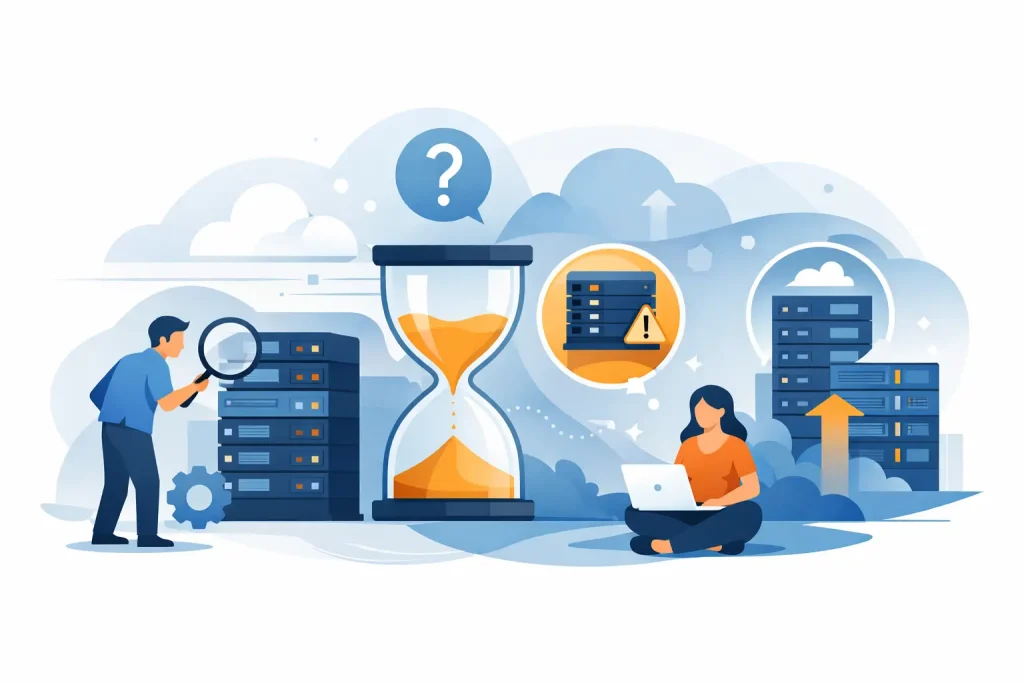
A server rarely fails at a convenient time. More often, the warning signs show up first – slower application response, backup windows that keep stretching, rising support tickets, and hardware that is technically still running but no longer keeping pace with business demands. That is usually when IT leaders start asking when should businesses upgrade servers, and the right answer is not based on age alone.
For most organizations, server upgrades are a business decision as much as a technical one. Performance, security, scalability, software compatibility, and operating cost all matter. Upgrading too early can tie up budget that could be used elsewhere. Waiting too long can create downtime risk, compliance gaps, and avoidable strain on users and IT teams.
When should businesses upgrade servers based on performance?
Performance is often the clearest trigger. If employees are waiting on line-of-business applications, virtual machines are competing for limited resources, or databases are slowing during peak hours, the server is already affecting productivity.
CPU and memory pressure are common issues, but they are not the only ones. Older servers may also struggle with storage throughput, network bandwidth, or modern workload distribution. A system that was sized correctly three or four years ago may now be undersized because the company added users, rolled out new applications, increased data retention, or expanded virtualization.
The key question is whether the server can still handle normal operations with enough headroom for growth. If infrastructure is constantly running near capacity, IT teams lose flexibility. Routine maintenance becomes harder to schedule, spikes in demand become more disruptive, and every new project feels like a risk.
In practical terms, a business should review server performance when utilization remains high for extended periods, when application complaints become frequent, or when temporary fixes such as reallocating workloads no longer solve the problem.
Hardware age is a factor, but not the whole answer
Many businesses use a four-to-six-year server refresh cycle, and that remains a useful planning benchmark. However, age alone should not force a replacement if the system is still fully supported, appropriately sized, and aligned with current workloads.
At the same time, keeping aging servers in production simply because they still power on can become expensive. Components wear down, replacement parts become harder to source, and vendor support may become limited or unavailable. Once a platform approaches end of life or end of support, the business takes on more risk with every additional month of use.
That trade-off matters. Extending the life of a server can reduce short-term capital spending, but it often increases support effort, maintenance uncertainty, and the chance of an unplanned outage. For business-critical systems, that is rarely a good bargain.
Security and compliance can force the timeline
Sometimes the answer to when should businesses upgrade servers has little to do with speed and everything to do with security posture. Older platforms may no longer support the latest firmware, encryption standards, operating systems, or security controls required by the business.
This becomes more urgent in regulated environments or in organizations handling sensitive customer, financial, or operational data. If a server cannot support current security patches, secure boot requirements, updated authentication methods, or modern endpoint and monitoring tools, it stops being just an IT asset and starts becoming a liability.
Compliance requirements can also change faster than hardware refresh plans. A server that met policy standards two years ago may now fall short because of new internal controls, audit expectations, or software security dependencies. In those cases, an upgrade is not optional. It is part of maintaining business continuity and trust.
Software compatibility is one of the biggest upgrade signals
Server hardware decisions are increasingly shaped by software roadmaps. New versions of business applications, hypervisors, databases, analytics tools, and operating systems often require more cores, more memory, faster storage, or updated processor architecture.
If your business is preparing for a new ERP deployment, VDI expansion, AI-assisted workloads, heavier virtualization, or a storage-intensive application stack, current server capacity may not be enough. Even if the old hardware can technically run the software, that does not mean it can run it well.
This is where many businesses make a costly mistake. They approve software modernization but delay server investment, hoping to stretch the existing platform. The result is poor user experience, lower return on software investment, and pressure on IT teams to troubleshoot performance problems that were predictable from the start.
Capacity planning should look 12 to 36 months ahead
The best time to upgrade is usually before the server becomes a bottleneck. That requires capacity planning, not just reactive replacement.
A practical review should look at current utilization, projected user growth, storage expansion, backup requirements, virtualization density, and planned application changes. It should also account for resilience requirements such as failover, redundancy, and disaster recovery. A server sized only for current demand may solve today’s problem while creating next year’s procurement issue.
That is why infrastructure planning should be tied to business growth plans. If the company expects to open new locations, onboard more users, retain more data, or centralize workloads, the server environment needs to support that direction without repeated emergency upgrades.
Rising maintenance costs are a warning sign
There is a point where keeping an older server costs more than replacing it. This does not always show up as one large expense. More often, it appears as a pattern: repeated troubleshooting, expensive spare parts, higher support hours, power inefficiency, and downtime exposure.
Older hardware can also consume more rack space and energy while delivering less compute performance than a newer system. For businesses consolidating workloads, that matters. A modern server platform may reduce the physical footprint, simplify management, and support better performance with lower operational overhead.
If support contracts are increasing, warranty coverage is ending, or internal IT time is being consumed by aging equipment, it is worth comparing the total cost of ownership rather than focusing only on purchase price.
What if the server still works?
This is a fair question, especially for procurement teams balancing budgets across multiple priorities. If the server still works, an immediate upgrade may not be necessary. But the decision should be based on evidence, not habit.
A server can be functional and still be the wrong fit for the business. It may be stable under normal load but unable to support growth. It may run current workloads but not upcoming software versions. It may be inexpensive to keep for another quarter but risky to keep for another year.
The better question is whether the existing infrastructure still aligns with business requirements for performance, supportability, resilience, and security. If the answer is no in any of those areas, planning an upgrade becomes the responsible move.
When should businesses upgrade servers for virtualization and storage?
Virtualized environments and data-heavy operations often reach upgrade points sooner because resource contention builds quietly. A server hosting multiple VMs may appear fine until one more application is added, one more database grows, or one more team starts relying on it during peak hours.
Storage demand creates the same issue. Increased backups, larger file repositories, analytics workloads, and retention policies can overwhelm older platforms. Slow storage is not just a storage problem. It affects applications, users, and recovery objectives.
If the business relies heavily on virtualization, shared storage, or data-intensive applications, server reviews should be more frequent and tied to growth metrics rather than fixed hardware age.
Why procurement quality matters during an upgrade
Choosing the right time to upgrade is only part of the decision. The quality of the hardware, configuration, and sourcing process matters just as much. Businesses need server platforms that match workload demands, future expansion, vendor support expectations, and budget discipline.
This is where working with an experienced IT procurement partner adds value. Instead of buying on spec sheets alone, businesses can assess processor options, memory scalability, storage architecture, brand support, and compatibility across the wider infrastructure environment. For organizations buying Dell, HPE, Lenovo, or Microsoft-aligned solutions, expert guidance helps reduce risk and avoid overbuying or underconfiguring.
For many organizations, the most effective upgrade is not the most expensive one. It is the one that fits the business properly, arrives from an authorized and dependable source, and supports operations for the next growth stage with confidence.
A good server upgrade decision usually happens before users feel pain, before support ends, and before performance limits force rushed spending. If your infrastructure is showing strain, this is the right time to assess what the business will need next – not just what it can get by with today.