
A switch that works fine for a small office today can become a bottleneck the moment your business adds IP phones, access points, security cameras, or a second department. That is why managed vs unmanaged switches is not just a technical comparison. It is a purchasing decision that affects visibility, uptime, security, and how easily your network can grow.
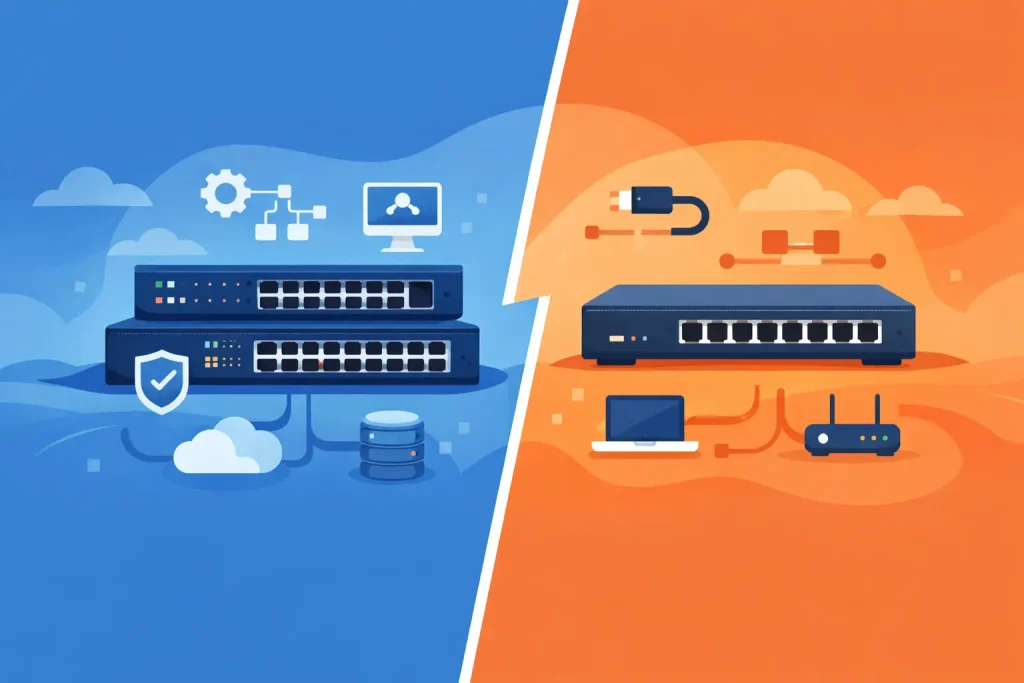
For business buyers, the difference comes down to control. An unmanaged switch is designed to connect devices and pass traffic with minimal setup. A managed switch does the same basic job, but it also gives your IT team the ability to configure, monitor, prioritize, and secure network traffic. The right choice depends on how critical your network is to day-to-day operations and how much flexibility you need over time.
Managed vs unmanaged switches: the core difference
An unmanaged switch is the simpler option. You connect it, power it on, and it starts forwarding traffic between connected devices. There is no interface to configure, no VLAN setup, and typically no traffic management beyond the switch’s basic factory settings. For very small, low-complexity environments, that simplicity can be an advantage.
A managed switch includes software and administration features that allow IT teams to control how the switch behaves. That usually means access to a web interface, command-line tools, or centralized network management. With those controls, you can segment traffic, monitor port activity, set quality of service policies, apply security restrictions, and troubleshoot issues without guessing.
The practical gap between the two becomes obvious as soon as a network supports more than a handful of users or device types. Once voice, wireless, printers, servers, cameras, and business applications start sharing the same infrastructure, visibility and policy control stop being optional.
When an unmanaged switch makes sense
Unmanaged switches are often a good fit for small networks with stable requirements. A basic office with a few desktops, a printer, and an internet connection may not need VLANs, remote management, or traffic prioritization. In those cases, buying a lower-cost switch with plug-and-play deployment can be the practical decision.
They also work well in isolated use cases. A temporary workspace, a noncritical lab environment, or a very small branch with minimal network demand may benefit from straightforward connectivity without adding management overhead.
That said, lower upfront cost should not be confused with better value in every scenario. If your team later needs segmentation, monitoring, or performance tuning, an unmanaged switch may need to be replaced rather than upgraded. For businesses planning growth, that can turn an inexpensive purchase into a short-term one.
What you gain with a managed switch
Managed switches are built for organizations that need more than basic connectivity. The biggest advantage is visibility. Your IT team can see what is happening on the network, identify overloaded ports, detect unusual traffic patterns, and isolate faults more quickly.
Control is the second major benefit. With a managed switch, you can create VLANs to separate departments, users, or device types. That matters in offices where guest Wi-Fi, finance systems, IP phones, and surveillance devices should not all sit on the same flat network. Segmentation improves both performance and security.
Traffic prioritization is another key feature. Voice and video applications are sensitive to latency, while file transfers and backups can usually tolerate delay. A managed switch allows you to assign higher priority to business-critical traffic so calls remain clear and collaboration platforms perform properly during busy periods.
Security features also tend to be stronger. Depending on the model, managed switches can support access control lists, port security, authentication protocols, and monitoring functions that help reduce unauthorized access or internal misuse. For businesses handling sensitive data, these controls support broader IT governance and compliance requirements.
Cost is only one part of the decision
The most common reason buyers look at unmanaged switches first is price. On paper, the comparison is straightforward. Unmanaged switches usually cost less and require less time to deploy. Managed switches cost more because they include additional hardware capability, software features, and administrative tools.
But network purchases should be evaluated over the life of the infrastructure, not just at checkout. A managed switch may reduce troubleshooting time, support future expansion, and prevent performance issues that affect staff productivity. If a network outage disrupts a customer-facing team or internal operations, the savings from choosing the cheapest device can disappear quickly.
There is also a labor consideration. If your business does not have internal IT resources, a fully managed environment may be more than you need. In that case, ease of use matters. Some smart-managed models offer a middle ground, providing essential controls without the complexity of high-end enterprise configuration. The right decision depends on the size of your environment, the skills available to manage it, and how costly downtime would be.
Managed vs unmanaged switches for growing businesses
Growth changes the switch conversation fast. A company with 10 users today may add new employees, wireless access points, IP telephony, edge security appliances, or on-premise servers within a year. Each addition increases traffic volume and network complexity.
In a growing business, unmanaged switches can become limiting because they provide no easy way to segment or optimize traffic. Troubleshooting also becomes harder. If users report slow access to shared files or poor voice quality, there is little data available to diagnose the problem at the switch level.
Managed switches are usually the better long-term choice for organizations that expect expansion. They make it easier to standardize deployments across floors, branches, or departments. They also support cleaner network design, which matters when scaling operations without introducing avoidable risk.
For procurement teams, this is where buying from a trusted IT supplier adds value. The switch itself is only one part of the decision. Port count, uplink speed, PoE requirements, stackability, and compatibility with the rest of your infrastructure all affect whether the purchase will hold up over time.
Key features that often tip the balance
Some buyers compare managed vs unmanaged switches as if the only difference is whether the device has a configuration screen. In practice, the feature gap is more meaningful.
Power over Ethernet is one area to watch. If you need to support access points, VoIP phones, or security cameras, PoE-capable switches can simplify installation by delivering power and data over the same cable. Both managed and unmanaged models may offer PoE, but managed options usually provide more control over power allocation and port behavior.
Redundancy and resilience matter too. In business environments where uptime is critical, features such as link aggregation, spanning tree support, and remote diagnostics help reduce disruption and speed up recovery. Those are generally associated with managed switching.
Monitoring is another dividing line. If your IT team wants alerts, usage data, and the ability to review traffic trends, managed switches are the clear fit. Without that visibility, many network issues are identified only after users complain.
Which switch is right for your environment?
If your network is small, stable, and noncritical, an unmanaged switch can be a sensible and cost-effective option. It keeps deployment simple and avoids paying for features your business will never use.
If your network supports multiple users, critical applications, wireless infrastructure, voice services, or security-sensitive systems, a managed switch is usually the stronger investment. It gives your organization better control, better troubleshooting, and better readiness for expansion.
There is no universal answer because network design is tied to business priorities. A retail back office, a professional services firm, a warehouse, and a multi-floor corporate office all have different traffic patterns and risk tolerance. The best switch is the one that matches current operational needs while leaving enough room for the next stage of growth.
For organizations sourcing networking hardware, that is why specification matters as much as brand. Working with experienced suppliers such as EDRC Global Computers helps ensure you are evaluating switch type, performance, and scalability together rather than treating them as separate decisions.
A well-chosen switch rarely gets noticed, and that is exactly the point. When the network stays fast, secure, and easy to manage, your team can stay focused on business operations instead of fixing preventable infrastructure problems.