
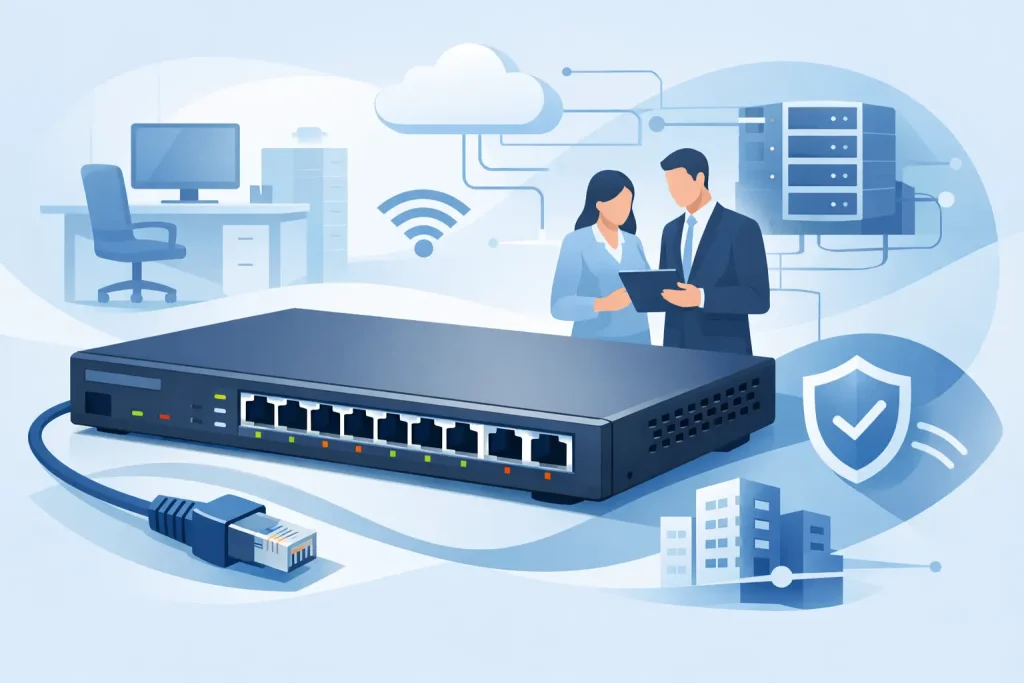
When an office network starts showing strain, the problem is often not the internet circuit. It is the switching layer. A managed switch for office network environments gives IT teams the control to segment traffic, prioritize business-critical applications, improve security, and plan for growth without replacing hardware too soon.
For business buyers, that control matters because office networks are no longer supporting only desktops and printers. They carry IP phones, wireless access points, security cameras, shared storage, cloud traffic, video meetings, and line-of-business applications at the same time. An unmanaged switch can connect devices, but it cannot give you the visibility or policy control needed when performance, uptime, and security become operational requirements.
Why a managed switch for office network use makes sense
The main reason organizations move to managed switching is simple: the network needs structure. As more users, endpoints, and applications are added, flat networks create avoidable issues. Broadcast traffic increases, troubleshooting takes longer, and there is little control over which devices or applications should take priority.
A managed switch changes that by allowing VLAN segmentation, traffic monitoring, Quality of Service settings, and port-level controls. For a small office, that may mean separating voice traffic from general data. For a growing company, it may mean isolating finance systems, guest wireless access, or surveillance devices from the rest of the network. The result is a network that is easier to manage and better aligned with business risk.
There is also a commercial argument. Buying a lower-cost unmanaged switch may reduce upfront spend, but it often increases long-term cost when IT teams need to troubleshoot blind, replace equipment earlier, or work around limitations that should have been addressed properly at the infrastructure stage.
What a managed switch actually gives your business
The difference is not just configuration access. It is operational control.
A managed switch allows administrators to define VLANs so different departments or device categories do not all share the same network segment. It supports QoS so latency-sensitive traffic such as VoIP and video conferencing can be prioritized during busy periods. It provides monitoring features that help IT teams identify overloaded ports, unusual traffic patterns, or failing links before users start raising tickets.
Security is another major factor. Port security, access control lists, and 802.1X support can help reduce unauthorized access and limit the movement of threats inside the office. That does not replace firewall strategy, but it strengthens the internal network significantly.
Then there is scalability. Managed switches are built for change. If your office adds more staff, moves to Wi-Fi 6 or Wi-Fi 7 access points, expands IP telephony, or introduces more edge devices, a managed platform gives you more flexibility to adapt without redesigning everything from scratch.
How to choose the right managed switch for office network needs
The right specification depends on office size, traffic type, endpoint density, and how much room you want for future expansion. That is where many purchasing decisions go wrong. Businesses either buy too small and hit limits quickly, or buy enterprise features they will never use.
Start with port count and realistic growth
Count current wired devices, then add a sensible growth margin. If you have 18 active devices today, a 24-port switch may look sufficient, but it can become restrictive once you add access points, phones, uplinks, or spare ports for moves and changes. In many offices, a 48-port model provides better long-term value than stacking multiple small switches with limited planning.
Consider PoE requirements early
If your office uses IP phones, wireless access points, or cameras, Power over Ethernet can simplify deployment and reduce separate power adapter requirements. The detail that matters is the power budget, not just whether the switch says PoE. A switch may offer PoE ports, but if the total power budget is too low, it will not support all connected devices at full load.
This is especially relevant in modern offices using high-performance wireless access points. Newer APs often demand more power than older hardware, so it pays to verify actual draw rather than assuming any PoE switch will be adequate.
Match speed to the environment
Gigabit access ports remain the standard for most office users, but uplink speed deserves closer attention. If multiple users, APs, or storage systems feed into one switch, 10Gb uplinks can prevent internal bottlenecks. That is often a better investment than over-specifying every desktop port.
For some organizations, 2.5Gb or multi-gig access ports are now worth considering, particularly where newer wireless infrastructure or high-performance workstations are in use. It depends on workload. General administration and cloud-based productivity apps may not need it. Media production, engineering workflows, and dense wireless traffic often do.
Look at Layer 2 versus Layer 3 features
Not every office needs advanced routing at the switch layer. Many environments are well served by a Layer 2 managed switch with VLANs, QoS, and link aggregation. However, if you have multiple VLANs, interdepartment traffic policies, or a more distributed office design, basic Layer 3 capabilities can improve efficiency and reduce dependency on other network devices.
The key is to buy for your current architecture with a clear view of the next stage. If your firewall or router already handles routing effectively, a full Layer 3 switch may not add immediate value. If east-west traffic inside the network is increasing, it may.
Managed switch for office network security and uptime
Switching decisions directly affect risk. A poorly segmented office network makes it easier for problems to spread. A better-designed switching layer helps contain them.
VLAN separation is one of the most practical examples. Guest devices should not sit on the same network as finance systems. Security cameras should not share unrestricted access with user endpoints. Voice traffic should be protected from congestion caused by large file transfers. These are not high-end enterprise concerns only. They are standard safeguards for any business that relies on stable digital operations.
Uptime matters just as much. Features such as link aggregation, loop prevention, port monitoring, and SNMP support help reduce service interruptions and improve response time when faults occur. If the office depends on ERP access, cloud platforms, customer calls, or shared storage, even short disruptions can affect revenue and internal productivity.
Common buying mistakes to avoid
One of the most common mistakes is choosing on port count alone. A switch is not just a box with network sockets. Backplane capacity, uplink speed, management features, PoE budget, and vendor support all affect real-world performance.
Another mistake is underestimating growth. Offices rarely become less connected over time. More often, they add wireless capacity, smart meeting rooms, door access systems, cameras, and collaboration hardware. A switch that looks cost-effective today may become the limiting factor much sooner than expected.
Brand consistency also matters. Standardizing around proven enterprise vendors can simplify management, warranty handling, firmware policy, and future expansion. For procurement teams, that translates into less friction and more predictable lifecycle planning.
Finally, there is the issue of buying without proper consultation. Networking hardware is easy to under-spec or overbuy if the decision is made from a generic product sheet. A trusted IT supplier can help align switch specifications with office layout, user density, endpoint requirements, and commercial priorities.
What business buyers should expect from suppliers
For most organizations, the right outcome is not simply finding a switch at the lowest listed price. It is getting the correct hardware from an authorized source, with expert assistance before and after purchase.
That means clear guidance on suitable models, brand-backed product availability, and practical advice around compatibility with servers, storage, access points, and other network infrastructure. It also means confidence that the switch you procure will support your office requirements now and remain viable as the environment grows.
For companies that value procurement certainty, working with an experienced supplier such as EDRC Global Computers can reduce risk at the decision stage. That is particularly useful when comparing enterprise-grade options from established brands and balancing budget with performance and support expectations.
A managed switch is not the most visible part of your IT estate, but it has a direct effect on how well the office runs every day. Choose it with the same care you would apply to servers or storage, and your network will be easier to secure, easier to scale, and far less likely to hold the business back.
The best buying decision is usually the one that leaves room for the next phase of growth, not just the next available port.