
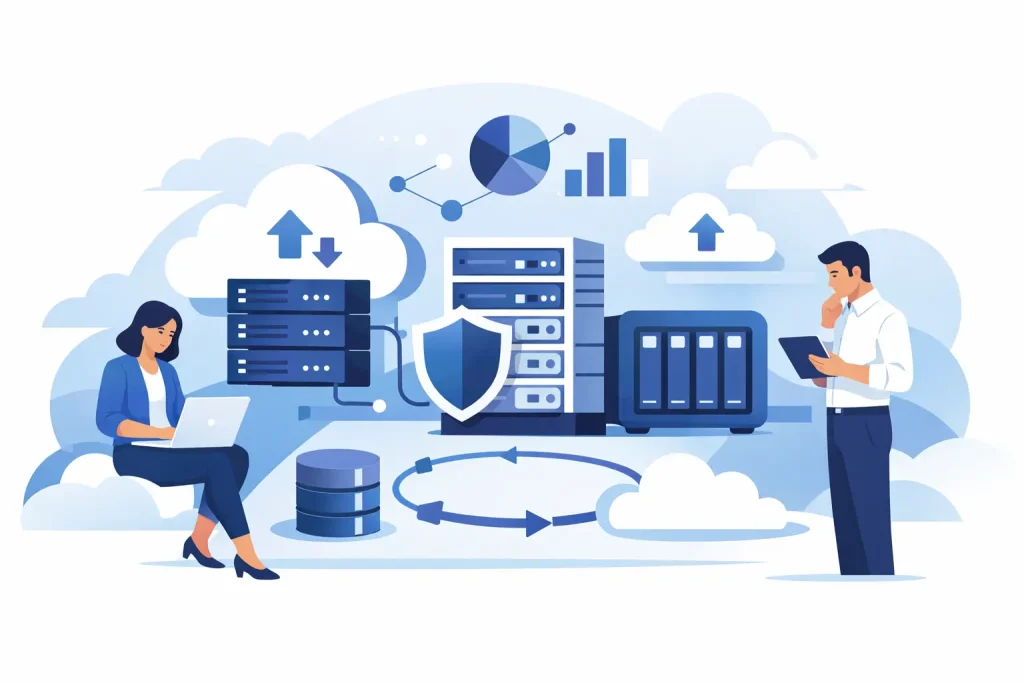
A full server stack can perform exactly as expected and still fail the business if storage is undersized, poorly matched, or difficult to scale. That is why business data storage solutions deserve the same scrutiny as servers, networking, and endpoint hardware. For IT managers and procurement teams, the right choice affects uptime, backup windows, application speed, compliance posture, and long-term cost.
Storage decisions are rarely about buying the biggest system available. They are about aligning capacity, performance, resilience, and support with the workloads the business actually runs. A design that works well for virtual machines may not be the right fit for large file archives, surveillance footage, engineering datasets, or database-heavy applications. The more specific the requirement, the better the outcome.
What businesses need from data storage
Most organizations are balancing four priorities at the same time: availability, performance, growth, and cost control. If one of those is ignored, the purchase usually becomes expensive in a different way later. Low-cost storage can create bottlenecks. High-performance storage can be excessive for infrequently accessed data. Large capacity without a backup strategy increases risk rather than reducing it.
A sound storage decision starts with workload behavior. Transaction-heavy applications need fast response times and predictable latency. Shared business files need enough throughput for multiple users without introducing access delays. Backup repositories need capacity efficiency and dependable retention. Archival environments need economics and integrity more than top-tier speed.
That is why experienced buyers do not ask only, “How much storage do we need?” They also ask how often the data is used, how quickly it must be recovered, how sensitive it is, and how fast the environment is expected to grow.
Business data storage solutions by deployment type
The right deployment model depends on operational priorities, internal IT capability, and compliance requirements. In many cases, the best answer is not one model alone, but a combination.
Direct-attached storage for focused workloads
Direct-attached storage, or DAS, is often appropriate when storage is tied closely to a specific server or application. It can be cost-effective, simple to deploy, and practical for small environments, edge workloads, or dedicated backup targets. The trade-off is flexibility. DAS does not offer the same level of shared access or centralized scalability as networked storage.
For businesses running a limited number of applications on individual servers, DAS can still be a sensible choice. For environments that expect resource pooling or broad user access, it usually becomes restrictive over time.
NAS for shared files and departmental access
Network-attached storage, or NAS, is a common fit for shared folders, team collaboration, document repositories, and general office data. It gives multiple users and systems access over the network and can be easier to manage than more specialized architectures.
NAS works well when the priority is centralized file storage with straightforward administration. It is often attractive to growing businesses because it supports expansion without forcing a full redesign. The limitation is that not every NAS platform is ideal for demanding databases or highly transactional workloads, so matching performance expectations matters.
SAN for virtualization and business-critical applications
A storage area network, or SAN, is typically selected for higher-performance environments where centralized block storage is needed for virtualized infrastructure, ERP systems, databases, and line-of-business applications. SAN deployments can deliver strong performance, redundancy, and management control.
They also require more planning. Cost, architecture complexity, and integration requirements are higher than with simpler storage models. For many midsize and enterprise organizations, however, that investment is justified by availability and application responsiveness.
Hybrid and cloud-connected environments
Many organizations now combine on-premises infrastructure with cloud-based backup, archive, or disaster recovery. This approach can improve flexibility while keeping critical workloads close to the business. Frequently accessed applications stay on local infrastructure for performance and control, while older or secondary data moves to lower-cost tiers.
Hybrid storage is appealing, but it is not automatically simpler. It introduces considerations around bandwidth, data sovereignty, recurring cost, and restore times. Businesses that choose this route should evaluate not only where data is stored, but how fast it can be recovered when operations are under pressure.
How to evaluate business data storage solutions
A storage purchase should be based on measurable requirements, not product labels alone. Brand reputation matters, but architecture fit matters more.
Start with capacity, but plan beyond current usage. Many businesses underestimate growth, especially when adding surveillance, analytics, design files, or expanded backup retention. It is usually more cost-effective to buy a platform with a realistic expansion path than to replace an undersized system too early.
Performance should be tied to applications, not assumptions. SSD and all-flash storage can transform database and virtualization workloads, but not every business dataset needs that level of speed. A mixed environment with flash for active workloads and high-capacity drives for secondary storage often delivers better value.
Resilience should be treated as non-negotiable. RAID protection, redundant power supplies, hot-swappable drives, and controller redundancy all contribute to continuity. Still, storage redundancy is not the same as backup. If data is deleted, encrypted by malware, or corrupted at the application level, mirrored storage alone will not solve the problem.
Security also belongs in the early planning stage. Access control, encryption, role-based administration, and audit capabilities are increasingly relevant across industries. For organizations handling regulated or commercially sensitive information, storage architecture has direct implications for compliance and risk exposure.
Management overhead is another practical factor. A lower-priced system that demands constant intervention can create hidden cost through IT labor and slower response. Platforms with dependable vendor support, familiar management tools, and clear upgrade paths often deliver stronger long-term value.
Choosing between HDD, SSD, and flash-based tiers
Drive type has a direct effect on price and performance, but the right answer is rarely absolute. Hard disk drives still make sense for high-capacity storage where cost per terabyte matters most. They remain useful for archives, backups, and less active data.
Solid-state drives provide faster access and lower latency, which makes them better suited to virtual machines, transactional systems, and workloads where delays affect users or revenue. All-flash arrays take that further, offering very high performance and consistency, though usually at a higher initial cost.
For many businesses, tiered storage is the most practical answer. Active workloads run on flash or SSD, while lower-priority data sits on economical capacity tiers. That balance supports performance where it matters without overspending on every terabyte.
Why procurement support matters as much as the hardware
Business storage is not a one-box commodity purchase. Compatibility with servers, switches, backup software, operating systems, and future upgrades all need attention. Authorized sourcing matters because it reduces uncertainty around warranty coverage, product authenticity, and vendor-backed support.
This is where a trusted procurement partner adds real value. Buyers need clear recommendations based on workload, expansion plans, and budget, not generic product pushing. In the UAE and regional enterprise market, EDRC Global supports that process by helping organizations source enterprise storage, servers, and infrastructure from recognized brands with the confidence that comes from long market experience and partner-backed supply.
For procurement teams, that support shortens decision cycles. For IT managers, it reduces the risk of mismatched configurations. For leadership, it improves confidence that the investment will hold up under real operational conditions.
Common mistakes buyers can avoid
One common mistake is buying storage based only on immediate capacity requirements. Another is assuming backup and primary storage are the same project. They are related, but they solve different problems. A third is underestimating network impact. Faster storage can still feel slow if switching, cabling, or interface choices create bottlenecks.
There is also a tendency to overbuy premium performance for workloads that do not need it. That can strain budget without improving business outcomes. The better approach is to allocate spend where application performance, resilience, and recovery time truly affect operations.
The strongest storage decisions are usually the least flashy. They are sized correctly, supported properly, and built to grow without disruption. When business data keeps expanding, that kind of planning pays off long after the purchase order is approved.